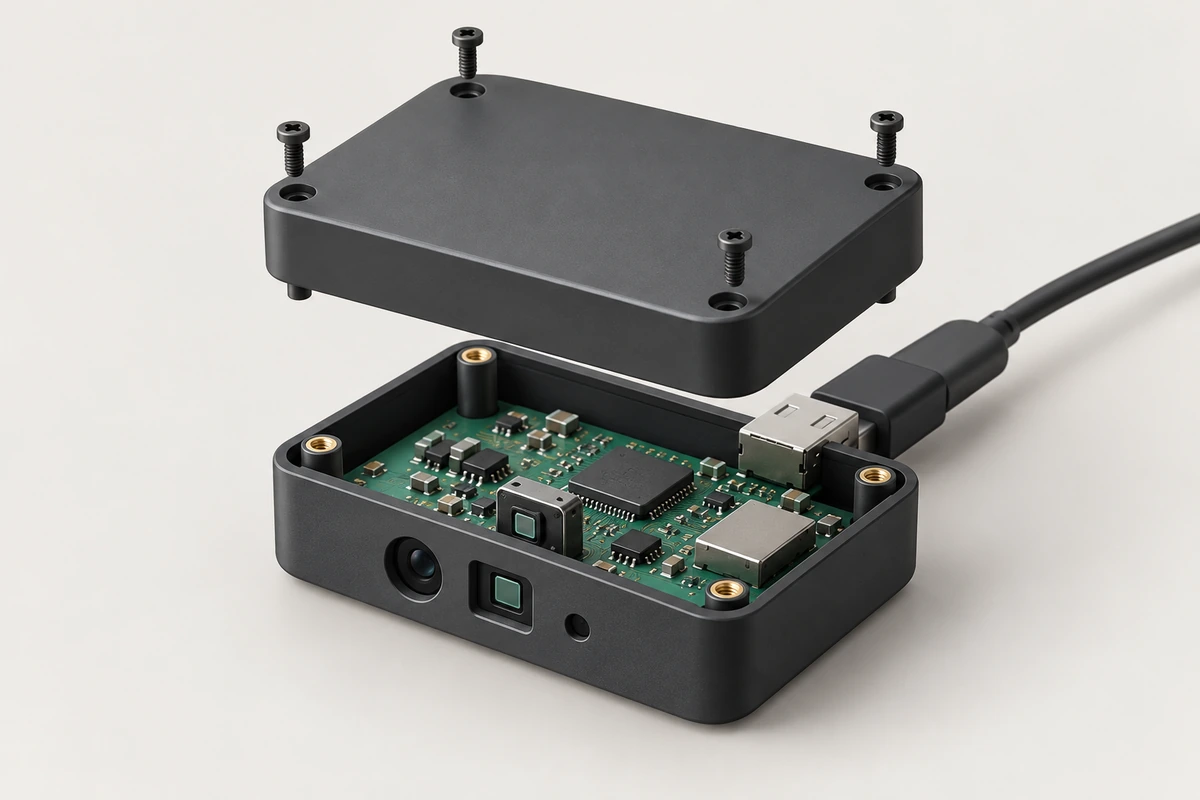
ToF integration begins with the result an IoT device needs: a distance threshold, a zone state, a depth image or combined RGB-D data. Selecting that output early helps match the module, host processing and optical assembly to the product function.
Choose point, zone, depth or RGB-D output
A point distance can drive a local proximity threshold. Zone results describe selected regions when supported by the configured module and firmware. A depth image gives the host spatial samples for its own processing. RGB-D adds visible appearance for tasks that need both data types.
Define units, coordinate axes, timestamps, invalid values and result age in the interface specification. A point cloud may be a supplied output or a host calculation from calibrated depth; establish which applies to the selected configuration. A proximity fixture, a room monitor and a mobile robot need different result detail and update behavior.
Plan USB, MIPI or processed serial data
| Route | Example | Integration decision |
|---|---|---|
| USB RGB-D | DM-RGBD5003A | Host capture, stream calibration and application processing |
| USB depth | DM5005A | Depth/IR/point-cloud workflow for the selected SDK and mode |
| MIPI depth module | DMOM2508CL | Compatible host receiver, sensor control and processing pipeline |
| Onboard processing | DMOS5030A/5031A | UART/SPI configuration and agreed firmware output |
Calculate data volume from actual frame format and rate, including headers, multiple streams and processing copies. A physical connector alone does not establish a supported host driver, command set or application protocol. Keep the selected firmware and interface mode in the integration record.
Separate transmit and receive optical paths
Reserve clear optical apertures for the emitter and receiver. Check field-of-view clipping by the bezel, gasket or nearby structure at the final assembly position. Use suitable separation and interior treatment to limit emitted light coupling into the receiver through the housing or cover.
Review placement before finalizing mechanical tooling. Small changes to a cover's angle, spacing or surface condition can change the optical path, so a bare-module test and an enclosed-device test answer different questions.
Evaluate cover glass, crosstalk and calibration
Choose material, thickness and coatings for the operating wavelength, then characterize the assembled path. Check transmission, reflections, scratches, fingerprints, moisture and air gaps. Follow the selected module's calibration procedure with the intended optical assembly rather than importing another sensor's dimensions or calibration constants.
Record calibration identifiers, test temperature, reference target and acceptance criteria. Repeat near, middle and far measurements after assembly and representative cleaning or thermal cycles. Keep invalid samples distinct from measured zero distance.
Budget power, thermal path and host processing
Include sensor electronics, illumination, regulators, host processing and communications in the device power budget. A sensor-only typical power value does not describe the full illuminated system. Check supply peaks and temperature behavior during the modes the application actually uses.
The host may apply validity masks, temporal filtering, spatial filtering and confidence-based selection. Measure how those operations affect latency, edges and missing regions. Hole filling creates an estimate where data is absent, so retain the distinction when the result drives a decision.
Plan multi-camera operation, firmware and lifecycle
Separate multipath within one scene from interference between active cameras. First establish a single-camera baseline with representative reflective geometry. Then introduce neighboring emitters, compare simultaneous and isolated operation, and vary relative pose and timing. Use scheduling or synchronization only where the selected hardware and firmware support the required controls.
Maintain a manifest of hardware, firmware, SDK, calibration and host versions, with reproducible update and recovery procedures. Define behavior on startup, disconnected data, overheating or stale results. Choose retention and access rules for raw frames and derived outputs according to the product function.
Send us the required output, host platform, optical drawing, power states and deployment conditions. The smart-lock, occupancy and robot-navigation guides develop application-specific evaluation paths.
Discuss your evaluation with DOMI.
FAQs
What is the first interface decision for an IoT design?
Decide whether the host needs a point distance, processed region result, depth image or RGB-D streams. That choice determines bandwidth, processing and the appropriate module interface.
Why test with the final cover installed?
The cover can attenuate returns and create additional optical paths. Test and calibrate the assembled optical configuration so the integration reflects the product's actual measurements.
How are multipath and multi-camera interference tested separately?
Use one camera to establish behavior on reflective scene geometry, then introduce neighboring emitters under controlled conditions. Compare the results while retaining the same targets, settings and mounting.
What should be recorded for reproducible integration?
Record hardware, firmware, SDK, interface mode, calibration, processing settings and host versions. Preserve the reference tests and startup, fault and recovery behavior with that configuration.