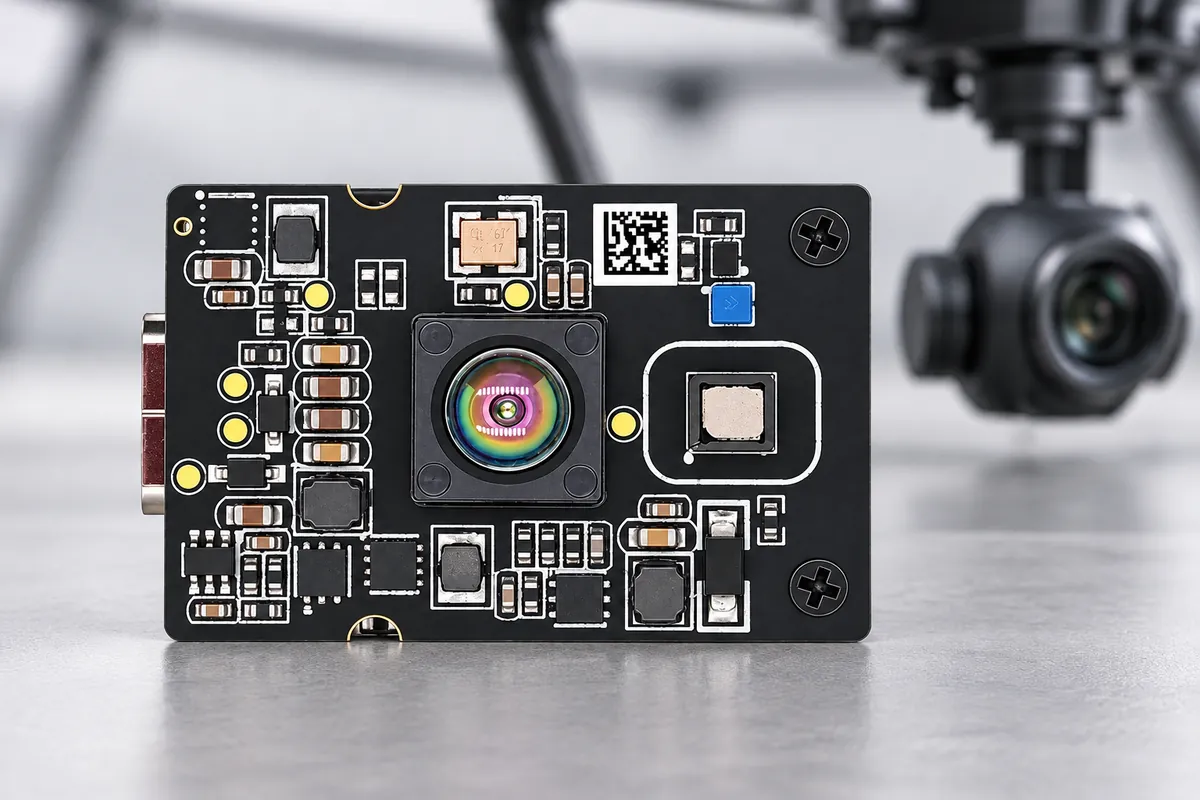
A gimbal-mounted area-array ToF sensor adds spatial distance samples to the direction your UAV's payload is observing. DMAS2M001 provides a 40 × 30 depth array at 10 fps across a 60° horizontal × 45° vertical field of view, supporting evaluation of selected ground regions, inspection surfaces and nearby observation zones.
Its 7 g module and 35.5 × 25 × 16 mm cased dimensions offer a compact starting point for payload design. Successful integration connects those depth samples with the gimbal's orientation, the aircraft frame and the acquisition time. This guide focuses on that connection: mounting, calibration, time alignment and controlled motion tests.
For a broader comparison of downward sensing, landing-area assessment and forward observation, use our ToF camera selection guide for drones and UAVs.
Choose the gimbal's observation task
Define what the depth pipeline should report, then choose how the gimbal points the sensor. These are different observation tasks, even when they use the same module.
| Task | Contribution of area depth | Gimbal integration questions |
|---|---|---|
| Downward surface observation | Select a ground region from several depth samples | How do attitude, tilt and mounting offset affect the selected region and reference height? |
| Inspection stand-off measurement | Observe distances across a surface region | Which samples represent the inspected surface, and how does the camera's viewing direction relate to the depth field? |
| Nearby obstacle-zone observation | Monitor a defined region in the current field of view | Does the zone remain covered through the commanded gimbal angles and aircraft motion? |
| Controlled scene scanning | Collect depth observations at multiple orientations | How will frames, gimbal positions and aircraft poses be aligned in time and space? |
An area array provides spatial samples within each frame. A single distance channel supplies one ranging result for its sensing direction. Choose between them by the information the application needs, together with the working distance, timing and payload design.
DMAS2M001 specifications for payload planning
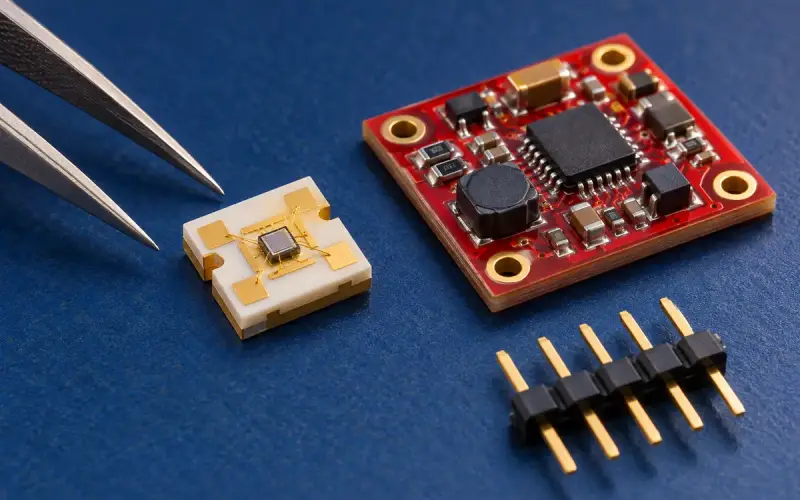
DMAS2M001 combines a SPAD dToF receiver array with a 940 nm VCSEL and outputs depth, point-cloud and confidence data.
| Technical specification | DMAS2M001 |
|---|---|
| Depth array | 40 × 30 |
| Frame rate | 10 fps |
| Field of view | 60° horizontal × 45° vertical |
| Distance range | 0.2–8 m at 30 klux, with 10%–90% target reflectivity |
| Depth accuracy, 0.2–1 m | ≤ ±2 cm |
| Depth accuracy, 1–3 m | ≤ ±3 cm |
| Depth accuracy, 3–8 m | ≤ 1% |
| Emitter wavelength | 940 nm |
| Dimensions with casing | 35.5 × 25 × 16 mm |
| Module weight | 7 g |
| Physical interface options | USB-C / FPC |
| Protocol options | UDP / UVC |
| Output data | Depth, point cloud and confidence |
Use the range condition and distance bands when planning the module evaluation. Target material, incidence angle, optical window, illumination, motion and measurement settings belong in the final installation tests. Sensor depth accuracy and final scene-mapping accuracy are separate quantities.
Plan mounting, balance and optical clearance
Include the module, bracket, window, cables and any carrier hardware in the complete gimbal payload. Locate the assembly around the gimbal's balance requirements and reserve clearance through its intended movement.
- Keep the receive aperture and illumination path clear of the bracket, enclosure and aircraft structure.
- Check for propellers, landing gear, the camera body and cable loops entering the depth field at different angles.
- Route USB-C or FPC connections with suitable bend radius, strain relief and movement allowance. Check the gimbal's end stops and the effect of cable forces on pointing.
- Include the final optical window in calibration and in checks for reflections, contamination and 940 nm transmission.
- Record mounting orientation and repeatability after removal, reassembly or mechanical adjustment.
If the depth module moves with an inspection camera, their fields of view and optical axes still need alignment. Use calibration to relate a camera region to the corresponding depth samples.
Connect sensor, gimbal and aircraft coordinate frames
Define the coordinate conventions before combining depth and pose data: axis directions, units, rotation order and the frame in which the application needs its result.
For points represented as homogeneous column vectors, a conceptual transformation into the aircraft body frame is:
p_body(t) = T_body_gimbal(t) × T_gimbal_sensor × p_sensor(t)
Here, each transform maps from the second named frame into the first. T_gimbal_sensor describes the fixed sensor mounting, while T_body_gimbal(t) describes the gimbal pose at the observation time. A jointed mount may require several transforms, including translations between pivot axes. Include the aircraft pose as another transform when the required output is in a world or local navigation frame.
For a supplied point cloud, use the actual output's axes and units. When creating points from a depth image, use the relevant calibration and distance convention; radial range and optical-axis depth represent different geometry.
Calibrate the final mounting arrangement against suitable targets at known positions and several gimbal angles. Check transformed points in the chosen application frame, and repeat the check after mechanical changes.
Align depth timing with gimbal movement
At 10 fps, the nominal frame interval is 100 ms. Acquisition, transfer, buffering, processing and pose alignment add to the complete data age. Log these stages separately rather than using frame rate as a latency value.
As a timing illustration, a gimbal rotating at 30° per second changes its pointing direction by 3° during 100 ms. This calculation describes the change between nominal frame times, not the module's exposure duration or a measured motion error.
For each frame, establish:
- The measurement time. Distinguish acquisition time from host receipt time and identify the timestamp provided by the selected output or driver.
- The matching pose. Associate gimbal orientation and aircraft pose with the depth observation time using a defined clock relationship.
- The age of the result. Record buffering, transfer and processing delays, including variation and dropped frames.
- The behavior during movement. Compare settled observations with readings during a sweep, reversal or vibration. Select settling and filtering settings from those results.
Keep the depth and pose records together. A gimbal can control the observation direction, while time alignment accounts for its changing position when the data is used.
Relate sample coverage to target size
A 40 × 30 frame contains 1,200 array positions. The number of valid samples depends on the scene and measurement conditions. Assess the smallest target with its actual distance, orientation, reflectivity and surrounding surfaces.
For a simplified perpendicular-plane estimate, a 60° × 45° field at 3 m spans approximately 3.46 m horizontally and 2.49 m vertically. Dividing those widths by 40 and 30 gives an average planning width of about 87 mm and 83 mm per array cell. This is a geometric estimate, not a uniform pixel footprint or a detection threshold; use the calibrated ray layout for detailed coverage calculations.
Place representative objects at different positions within the field and record valid sample coverage. Include mixed foreground and background regions, partial occlusion and surface-angle changes in the evaluation. Choose the region-selection and confidence-processing rules from the observed data.
Build the host depth pipeline
DMAS2M001 offers USB-C / FPC interface options and UDP / UVC protocol options. Select the connection and available streams for the intended module configuration and host. Our DMAS2M001 robotics and UAV guide covers the wider module integration context.
Organize the application pipeline around depth acquisition, result validity, pose association, coordinate conversion and the selected observation output. For ground regions, inspection measurements or scene mapping, retain the timestamps and quality information alongside the processed result.
Navigation or mapping software adds its own state estimation, scene interpretation and control logic. Measure the complete pipeline and define the response to missing depth, unavailable pose data, excessive data age or a region leaving the field of view.
Evaluate the gimbal-mounted assembly
Begin with a stationary, controlled setup, then add the motion and environmental conditions relevant to the application.
| Evaluation stage | Record and assess |
|---|---|
| Static reference targets | Depth error, valid coverage and repeatability at known distances and angles |
| Gimbal sweep and settling | Pointing position, timestamps, transformed target position and time to meet the application's stable-reading criterion |
| Aircraft-frame geometry | Mounting offsets, gimbal axis relationships and residual error after transformation |
| Representative scenes | Ground and inspection materials, small targets, partial occlusion and changes of viewing angle |
| Environment and mechanics | Lighting, temperature, window condition, vibration, power and cable movement |
| Interrupted or stale data | Detection of missing frames or pose data and the host's defined response |
Save the module and firmware revision, output mode, host software, calibration, clock arrangement, gimbal settings and reference method. Separate module depth error from transformed-position error and end-to-end data age. Expand testing when the intended operating conditions are represented by the measured results.
Frequently asked questions
What does area-array ToF add to a UAV gimbal?
It provides depth samples across the current field of view, allowing the host to select a ground or inspection region and interpret spatial distance variation. The gimbal controls the observation direction; the application combines that direction with calibration and timing.
How should depth frames be matched with gimbal orientation?
Associate the gimbal pose with the depth observation time using a defined clock relationship. Keep acquisition and host receipt times distinct, and measure the transfer and processing delays in the chosen output mode.
What does DMAS2M001’s 10 fps specification mean for a moving gimbal?
It corresponds to a nominal 100 ms interval between frames. Gimbal motion can change the observed region during that interval, so evaluate sweep rate, acquisition timing and settling together with the complete data pipeline.
How is a depth module aligned with a camera on the same gimbal?
Calibrate the fixed relationship between the depth module and the camera, including their optical axes, fields of view and coordinate conventions. Use the resulting geometry to associate image regions with depth data at corresponding times.
How can gimbal-mounted depth support a mapping project?
The module supplies depth or point-cloud data for the host pipeline. Mapping software uses calibrated observations, gimbal pose and aircraft pose with its own estimation and registration methods. Evaluate transformed target positions, data age and scene coverage in the final assembly.
Technical resources and next steps
DMAS2M001 specifications checked October 14, 2026. Use the product specifications and ToF module selection page to plan the hardware, then use this guide for the moving-mount integration work.
Share the observation task, distances, smallest target, gimbal movement, payload allowance, lighting and host platform with us. Discuss your UAV gimbal depth-sensing project with DOMI so we can help define the module configuration and evaluation plan.