3D ToF Sensing for Smart Buildings and Retail Analytics
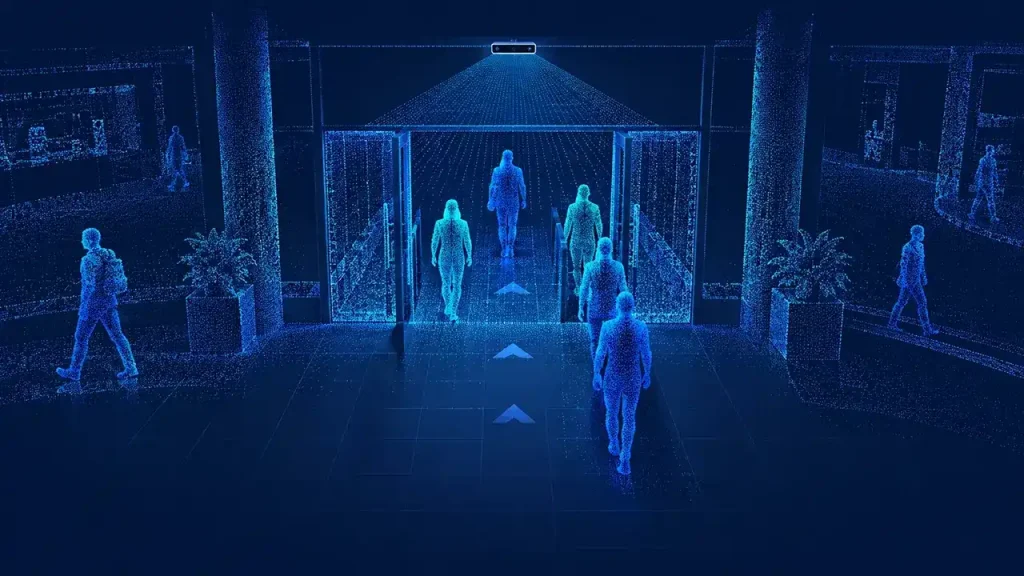
Our ToF cameras and modules provide spatial depth data for smart building and retail applications. Explore sensing tasks, related solutions and candidate hardware around your site and integration platform. The paths below focus on entrance flow, occupancy and queue evaluation.
Build bidirectional people-counting and footfall applications using 3D ToF depth data. Explore camera selection, doorway coverage and validation requirements for host-side entry, exit, occupancy and queue analytics in retail spaces, transport hubs and smart buildings.
Entrance flow, occupancy and queue analysis use different rules and outputs. Define the task first so the installation, processing and acceptance plan serve the same business question.
Task
Output to define
Site information
Evaluation path
Entrance footfall
Entry and exit events by direction and time window
Doorway width, mounting height, walking directions and peak traffic
Compare DM-PS2601-VGA edge outputs with a DM-RGBD5003A host-side counting route
Building or zone occupancy
Occupancy from entry/exit accounting, or people observed within a defined zone
All access points, zone boundaries, obstructions and starting-count policy
Define the event or zone model, then evaluate coverage and occupancy reconciliation in the application
Retail queue analysis
People within a queue zone and the dwell or waiting-time rules your application needs
Queue shape, adjacent traffic, group behavior and viewpoint
Evaluate depth coverage and tracking on the selected processing platform before setting queue thresholds
The 3D people-counting and footfall guide develops the event model, installation geometry, tracking and pilot acceptance. Use this category to select the route and the guide to plan application evaluation.
320 × 240 at 10–30 fps; 0.2–2 m; 2-lane MIPI CSI-2
Embedded host capture and depth-processing pipeline
Carrier board, driver, optical layout and application software within the module's working envelope
Camera working distance describes the sensing range. Useful doorway or floor coverage also depends on mounting height, orientation, depth field of view and occlusion. Evaluate the intended layout and selected mode together.
Include doorway or zone dimensions, mounting position, viewing direction and expected group density. Add carts, luggage and accessibility aids to the scene plan. Test the site's lighting and surface finishes, including sunlight near glazing and reflective floors, in the intended installation.
Match events to the receiving system
Decide where detection, tracking and aggregation run. Define timestamps, direction, zone IDs, count updates and health information for the application, dashboard or building management system. Align DM-PS2601-VGA TCP outputs with the receiving application's rules and current firmware protocol.
Measure the pilot against a reference
Use independently reviewed counts over defined time windows. Record missed, extra, reversed and duplicate events separately, then evaluate occupancy drift or queue-zone behavior for the chosen task. Keep settings, mounting references and processing versions with the results for comparison across sites.
Plan depth and RGB data handling
Depth-based processing provides a route to spatial analysis without using color images for identity recognition. Define which streams are acquired, where they are processed and what is retained. For an RGB-D camera, decide explicitly whether RGB is needed and set access and retention controls for the selected data. Operational reporting and data policy belong in the complete application design.
Building and retail selection FAQ
Which product offers people-counting output over Ethernet?
DM-PS2601-VGA combines onboard processing with Ethernet / TCP output for count, coordinate, height and movement trail. Start with its product specifications and the people-counting guide to plan the monitored area and receiving application.
How should I choose between entrance counting and occupancy sensing?
Entrance counting records crossings of a defined line. Occupancy can use accumulated entry/exit events or direct observation within a zone. Select the method around access-point coverage, zone visibility and the update your building application needs.
How can depth hardware support a queue application?
Depth observations provide spatial inputs for detecting and tracking people within a queue zone. The application defines boundaries, group treatment and waiting-time rules. Evaluate those rules with adjacent pedestrian traffic and the expected busiest period.
Discuss your building or retail installation
Share your entrance or zone layout, mounting envelope, traffic pattern and required outputs. Talk to our team about people-counting hardware to compare processing routes and plan your site evaluation.