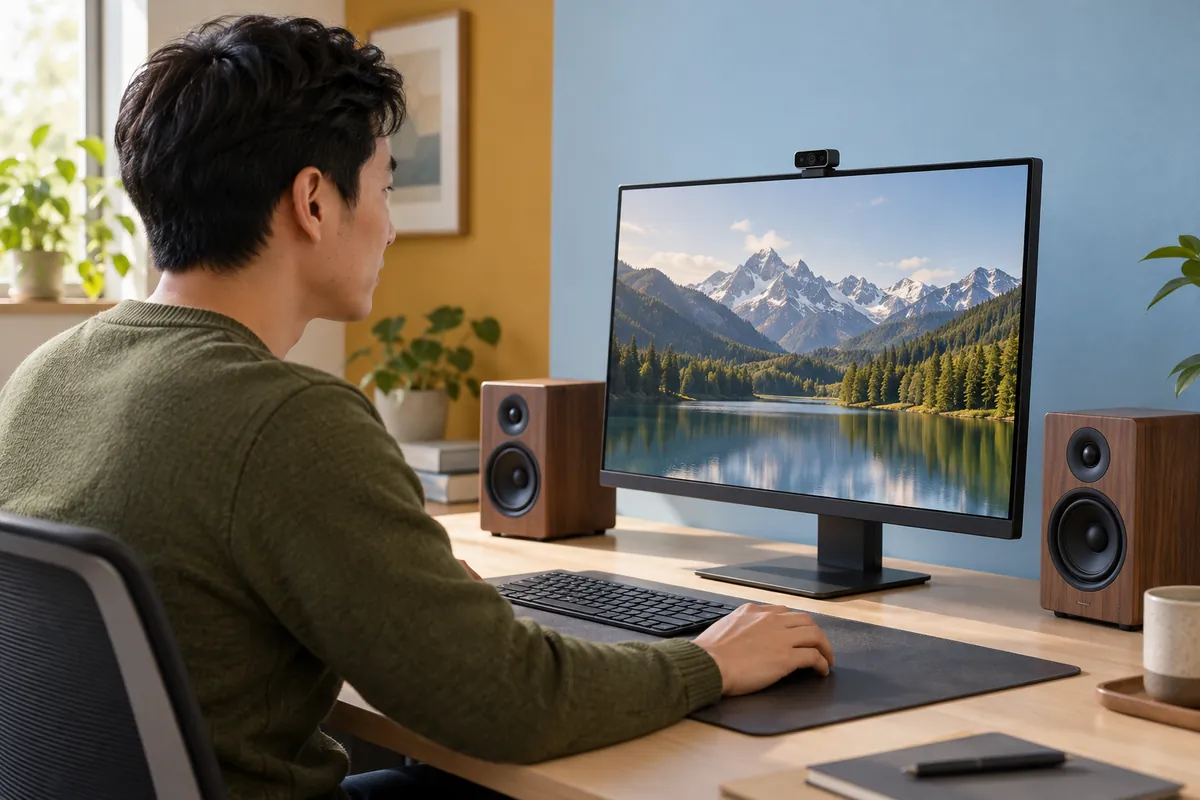
Depth sensing supplies spatial measurements for a speaker system that adapts to a listener's position. DOMI offers USB RGB-D cameras, USB depth platforms and compact MIPI modules for developing that sensing path. The right starting point depends on the listening zone, host platform and tracking results the audio processor will consume.
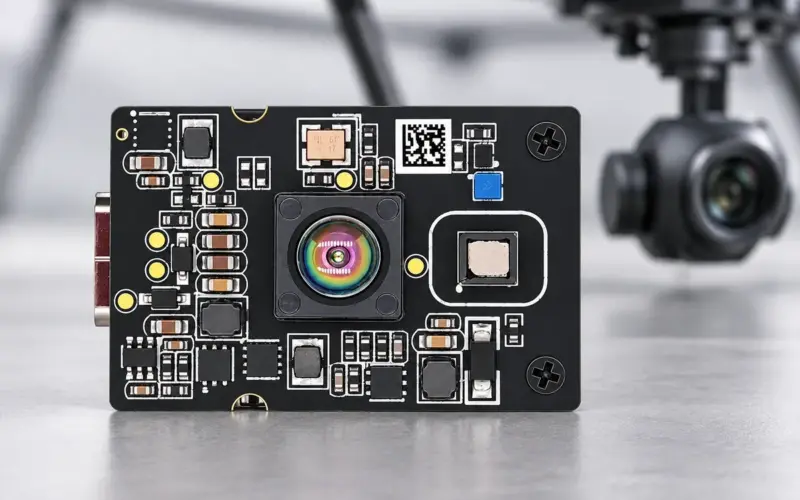
For a first RGB-and-depth prototype, DM-RGBD5003A brings appearance and geometry into a host pipeline. If the system already has an RGB camera, DM5005A provides a separate USB depth route. Embedded designs can compare DMOM2508CL and DMOM2808D around working distance and optical layout.
Define position, orientation and ear-point outputs
Specify the audio interface before choosing the tracking method. Head-center XYZ describes a position in space. Head orientation describes rotation. Left and right ear coordinates require their own feature estimates or a head model and pose. These outputs support different audio calculations and should have distinct definitions in the interface.
For each output, define units, axis directions, timestamps, confidence and the valid tracking state. Establish what happens when a listener turns away, another person enters or the selected listener leaves. If the audio engine needs ear positions, evaluate those coordinates directly against a suitable reference rather than using head-center stability as the acceptance result.
Depth maps provide surface geometry. Detection and tracking software turn RGB, IR or depth observations into the selected head features and a time sequence. The audio processor then uses those results in its own rendering or beamforming method.
Map camera coordinates to the audio system
Calibrate the camera geometry and, where used, the relationship between RGB and depth. Estimate the feature in camera coordinates using valid depth from the relevant region. Then apply the measured camera-to-audio transform:
position_audio = rotation × position_camera + translation
State the transform direction and units. Camera-to-speaker placement, acoustic reference points and the audio engine's axis convention belong in the calibration record. RGB-depth registration relates the camera streams; the speaker system still needs its own spatial reference.
Attach acquisition timing to each estimate. When the host and audio processor use different clocks, provide a clock-alignment method or an agreed age-of-data measurement. Define tracking loss and recovery so the audio engine can handle an unavailable or stale position consistently.
Compare DOMI development routes
| Project architecture | Candidate | Configuration to plan around |
|---|---|---|
| Develop combined RGB features and depth geometry on a USB host | DM-RGBD5003A VGA ToF RGB-D Depth Camera | USB 2.0; depth up to 640 × 480 at 25 fps; 0.2-5 m for indoor and semi-outdoor use; depth FOV 64° H × 51° V; depth-RGB registration |
| Keep an existing RGB path and add USB depth or IR input | DM5005A | 320 × 240 at up to 30 fps; 70° H × 50° V; 940 nm option 0.2-2 m, or 850 nm option 0.3-5 m; customer-designed enclosure and thermal path |
| Embed near-field sensing in a compact device | DMOM2508CL | 320 × 240, 10-30 fps; 0.2-2 m; 940 nm; 71.8° H × 56.6° V; 2-lane MIPI CSI-2 |
| Extend an embedded working zone beyond 2 m | DMOM2808D | 320 × 240, 10-30 fps; 0.25-4.5 m; 850 nm; 71.8° H × 56.5° V; 2-lane MIPI CSI-2 |
These are camera and module specifications for selecting an evaluation route. Installed tracking depends on the selected features, software, lighting and listener visibility. A separate RGB camera also needs spatial calibration and timing alignment with the depth camera. For MIPI integration, include host capture, depth processing, power rails and thermal design.
For a host that needs processed region results, DMOS5031A provides another architecture to discuss with us. It combines onboard processing with up to 100 × 100 sensing at up to 20 fps, a 60° × 60° FOV and a 0.2-2.5 m range. Define the required feature, protocol and firmware configuration as part of that discussion.
Calculate listening-zone coverage and feature sampling
An initial planar width estimate is 2 × axial distance × tan(horizontal FOV / 2). At 1 m, a 64° depth FOV covers about 1.25 m, 70° about 1.40 m and 71.8° about 1.45 m. These ideal estimates help position the camera relative to the listening zone; check the calibrated view and valid depth at its edges.
Feature size matters alongside total coverage. As an illustrative assumption, a 160 mm wide head near the image center would span roughly 82 horizontal samples in a 640-pixel image covering 1.25 m. At twice the distance, the estimated span halves. Ear visibility, orientation, edge quality and the feature model still determine how useful those samples are. This calculation is not an ear-position accuracy result.
Check the nearest listener position, maximum lateral movement and camera occlusion by the speaker enclosure or display. With more than one listener, define the supported listening policy and how a target is selected before evaluating tracking behavior.
Measure sensing-to-audio update timing
At 25 fps, the nominal frame interval is 40 ms; at 30 fps, it is about 33.3 ms. Those intervals describe acquisition cadence. Measure the complete path through capture, transfer, feature detection, tracking, filtering and audio-control delivery. Different maximum RGB and depth rates do not establish that the streams are synchronized.
An assumed listener speed of 0.3 m/s and an assumed 100 ms position age produce 30 mm of motion during that interval. Use a calculation like this to set a project timing budget, then measure it with the selected stream combination and host load. Track both typical and high-percentile delay, along with dropped estimates and recovery after occlusion.
Evaluate tracking in the listening zone
Start with static reference positions, then repeat lateral movement, approach and retreat, head turns and temporary occlusion. Include glasses, different clothing, changing light, background people and listener departure and return. Compare position or pose error, track continuity and reacquisition time with a reference appropriate to the required output.
Separate the sensing results from the audio evaluation. After coordinate and timing checks, assess the audio behavior using the actual rendering engine and listening arrangement. Camera depth accuracy and head-tracking error are different quantities, and acoustic results also depend on the audio system.
Share your listening distances, head or ear outputs, host platform, enclosure space and audio-update requirements through our engineering contact. We can help compare USB and embedded capture routes and define an evaluation configuration. Our ToF camera selection guide also explains coverage and host-interface choices.
FAQs
Which DOMI camera is a starting point for speaker head tracking?
DM-RGBD5003A is a starting point when the prototype needs RGB features and depth on a USB host. DM5005A is another route when RGB already exists. For embedded designs, compare DMOM2508CL and DMOM2808D around distance, wavelength and the host pipeline.
How is head position different from ear position?
Head position usually describes a chosen center or reference feature. Ear position describes separate left and right points. Estimating those points needs suitable feature visibility or a head model and pose, followed by calibration into the audio coordinate system.
How should a speaker system evaluate tracking latency?
Measure the age of the position used by the audio processor from a defined acquisition timestamp. Include transfer, tracking, filtering and control delivery, and record clock alignment, delay variation and tracking interruptions.
What part of head tracking for spatial audio does a depth camera provide?
It provides spatial observations for the tracking pipeline. Head-feature estimation, listener selection and audio rendering are system functions built around those observations. Define each output and interface to evaluate the complete speaker application.