
To choose a ToF people counting camera, start with the data your application needs. An integrated camera can send counting results to a receiver. A depth camera or module gives your team the input to build its own tracking software.
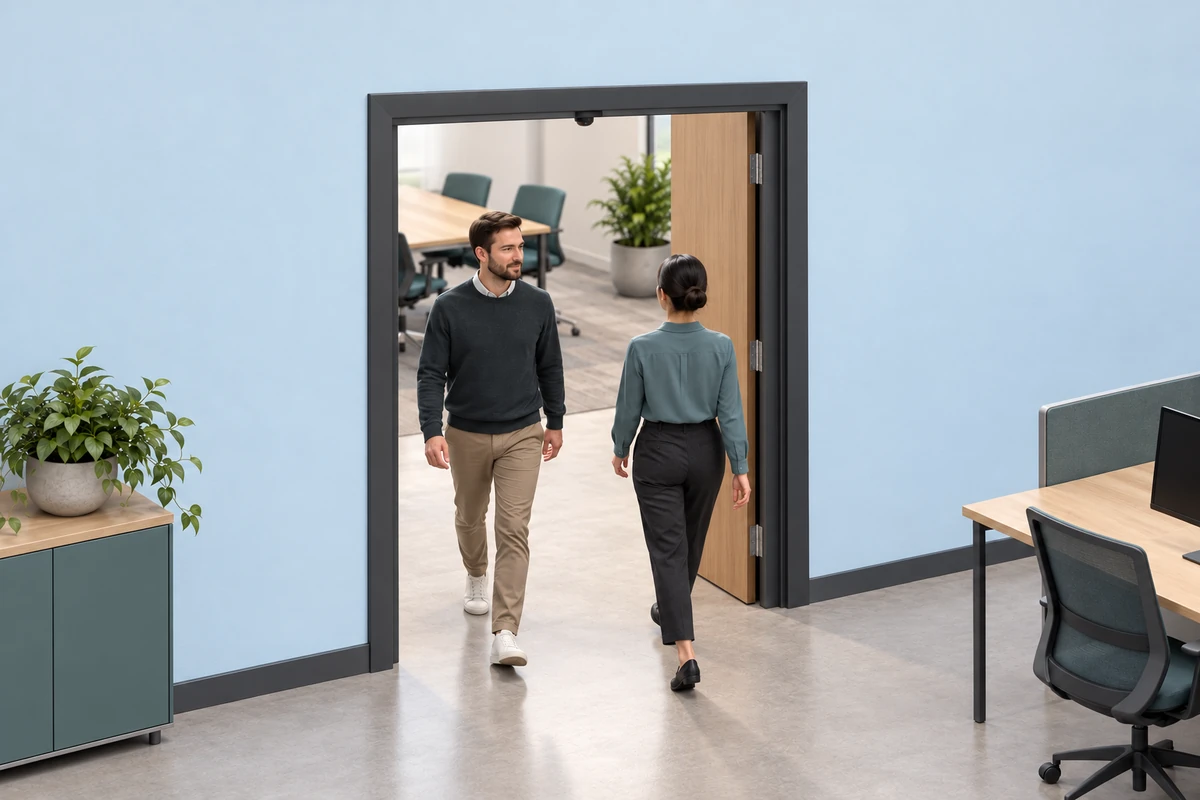
Check the doorway before choosing a model. The camera needs to observe people approaching, crossing and leaving the counting area, including when groups pass in opposite directions. Use the mounting height and the distance to the people you expect to track to estimate coverage.
Define entry, exit and the counting region
Draw the monitored region and the boundary used to count a person. State which direction is entry and which is exit, and define when an event becomes complete. A person approaching the line and turning back should be treated according to that rule, rather than counted from a brief detection alone.
Counting anonymous crossings can use depth shape and motion without identifying a face. If RGB images, person identifiers or stored trajectories are included, define access and retention around the information actually collected. Depth-only operation can reduce visual detail, while privacy still depends on the complete data workflow.
An entry/exit count and current room occupancy are different outputs. A running occupancy estimate needs an initial value, all relevant entrances and a reset or reconciliation method. Missed crossings can accumulate, and people already inside at startup need a defined treatment.
Calculate doorway coverage at the relevant height
For an overhead camera looking perpendicular to a horizontal plane, an initial width estimate is:
coverage width = 2 × camera-to-plane distance × tan(horizontal FOV / 2)
Use the distance to the part of the person that the algorithm tracks, as well as the floor distance. For an illustrative layout, a camera 3.0 m above the floor and a head plane 1.7 m above the floor leave 1.3 m of separation. A 120° horizontal FOV gives an ideal width of about 4.50 m at that head plane. A 90° vertical FOV gives about 2.60 m in the other direction.
These are geometric estimates for the stated orientation, not an approved doorway width or installation height. Lens calibration, edge quality, slant distance, obstructions and the tracking algorithm determine the usable region. With a tilted camera, calculate the projected region in the installed geometry instead of using the overhead formula directly.
Allow space before and after the counting boundary so the tracker can establish motion direction. Check door leaves, signs and overhead fixtures. A wide floor footprint can still leave insufficient tracking space at head height. For resolution tradeoffs, see VGA and QVGA ToF sensing.
Choose processed counts or host-side tracking
ToF and stereo are two ways to measure depth. With active ToF, check how sunlight and reflective surfaces affect the depth image at the planned mounting position. Then choose the camera by where you want the counting to run.
| What you need | DOMI option | Work on your side | Coverage check |
|---|---|---|---|
| Counts and related people data from the camera | DM-PS2601-VGA. Onboard counting with count, coordinate, height and movement-trail data over Ethernet/TCP. | Configure the receiving application around the selected firmware and define how it uses the results. | Use the 120° H × 90° V field of view and 0.3 to 5 m working distance as inputs to the doorway estimate. |
| Depth and RGB for your own tracking software | DM-RGBD5003A. USB 2.0 RGB-D camera. | Capture frames on a host and develop the detector, tracker and crossing rules. | Calculate coverage with this camera’s 64° H × 51° V depth field of view. |
| Depth sensing built into your own hardware | DMOM2508CL. Two-lane MIPI CSI-2 depth module. | Integrate capture and processing on your embedded platform and implement the counting logic. | Compare the distances to the person and reference plane with the module’s 0.2 to 2 m working range. |
For a system that receives processed counts, start with the DM-PS2601-VGA specifications and review the Ethernet integration requirements. For host development, review the DM-RGBD5003A USB camera or the DMOM2508CL embedded module.
Validate temporal events against manual ground truth
Record a reference event log with timestamps and direction labels. Match system events to reference events within a declared time tolerance and direction rule. Keep the test record long enough to include track establishment, the crossing and any return motion.
| Reference scene | Example event rule to test | What to record |
|---|---|---|
| One person crosses into the area | One entry after a completed crossing | Miss, duplicate, wrong direction and event delay |
| One person crosses out | One exit | Direction agreement and event delay |
| A person approaches and turns back before completing the crossing | No completed crossing | False events and broken tracks |
| Two people cross together or in opposite directions | One event per completed person crossing | Track separation, misses and direction assignment |
| A person pauses or reverses after a completed entry | Count the completed entry and any later completed exit | Repeated counts, timing and rule consistency |
| A person pushes a cart or carries a large bag | Count the person under the declared counting policy | Object confusion, occlusion and track continuity |
The table defines an example acceptance policy, not a product test result. Include children, varied clothing, luggage, changing sunlight and busy periods in the actual scene set. Identify ambiguous reference events separately so reviewers can resolve them consistently.
Report correctly matched events, missed events, extra events and wrong-direction events by scene. Declare whether a wrong-direction result is reported separately or contributes to both a missed and an extra directional event. Two opposite errors can cancel in a daily total, so compare event-level results as well as totals.
Plan operation and maintenance
Record the mounting height, tilt, counting boundary, firmware version and configuration used for acceptance. Test a network interruption, a receiver restart and a counter reset. Check whether the configured system delivers any data from the interrupted period, then decide how the receiving application reconciles that period and avoids counting the same event twice.
For occupancy estimates, document the initial state and reconcile all entrances. Repeat validation after a camera is moved, the doorway layout changes or firmware changes its tracking behavior. Our people-counting and footfall solution covers the system integration path.
Send a doorway drawing with the proposed mounting position, the expected flow and the outputs your software needs. DOMI can help you choose between an integrated counter and a custom depth processing setup. Discuss your camera selection.
FAQs
How does people-counting camera mounting height affect coverage?
Height changes the distance from the camera to the tracked body region, which changes coverage and sampling. Calculate the region at relevant person heights, check space on both sides of the counting boundary and test the actual mounting angle.
What does a bidirectional people-counting sensor need to observe?
It needs enough of each trajectory to distinguish a completed crossing and its direction. Crossing paths, pauses and reversals should be included in the event rules and validation set.
What should I check before handing over a people-counting installation?
Use the settings you plan to hand over. Confirm that the counting area covers the walking path, then check the boundary and the entry and exit directions against your layout. For onboard counting, verify the expected results in the receiving application. For host-based counting, check that the host receives depth frames and generates crossing events. Make a test crossing in each direction, then match the reported events to your manual log by time and direction. For the DM-PS2601-VGA, see the Ethernet receiver setup guide.
Does ToF people counting require facial recognition?
Anonymous crossing counts can use depth geometry and movement without face identification. Choose RGB collection and retention separately when another application requires appearance information.
How do I compare count output with raw-depth processing?
Choose count output if your application needs results it can use for reporting. Choose depth acquisition if your team needs to control how people are detected, tracked and counted. See the three camera routes.
How should I evaluate people-counting accuracy?
Compare system events with a manual record that includes time and direction. Use the same matching rules across quiet and busy periods. Report missed, extra, reversed and duplicate crossings by condition so you can see where the installation needs adjustment. See the event validation method.