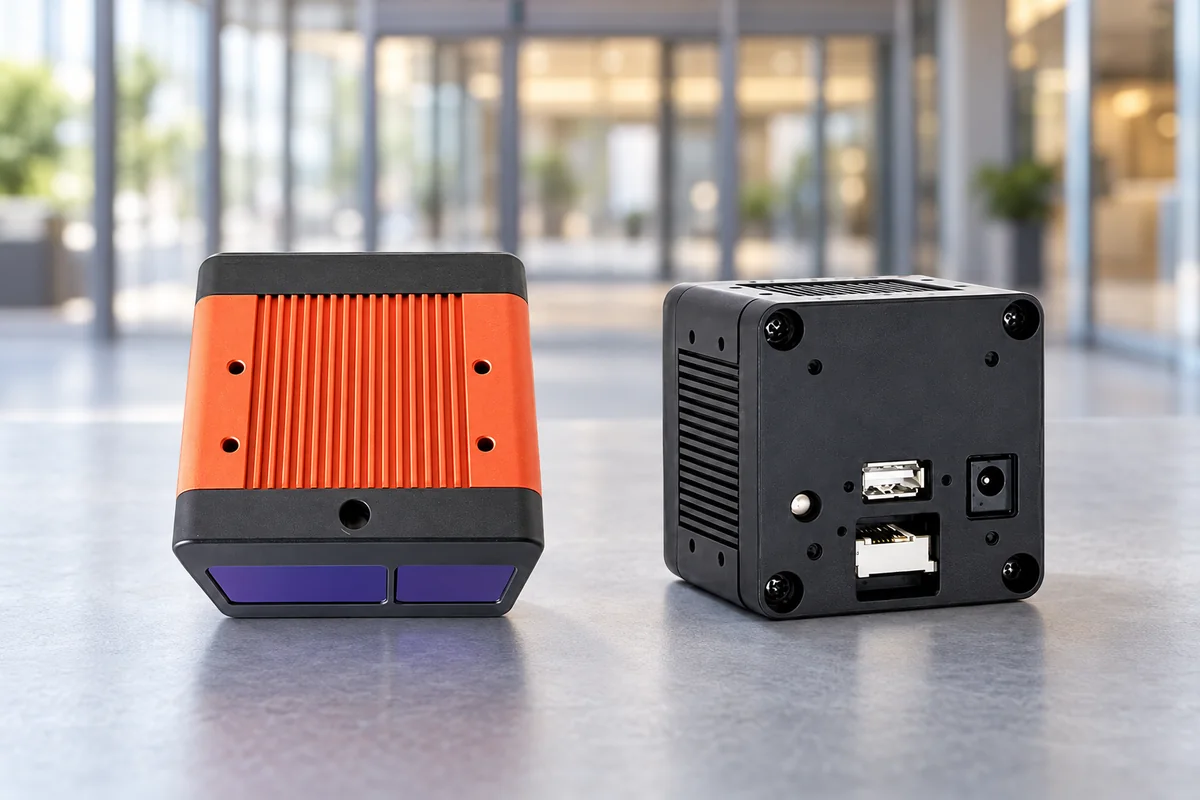
DM-PS2601-VGA combines VGA ToF depth sensing, onboard Linux processing and Ethernet connectivity in an integrated people-counting camera. It provides count, coordinate, height and movement-trail data over TCP, giving integrators a starting point for connecting entrance activity to a local analytics system.
This guide explains the device’s role in a people-counting installation, how it differs from a USB depth camera or an embedded ToF module, and what to plan for a site pilot. For the full specification table, see the DM-PS2601-VGA product page.
Why choose an integrated Ethernet camera?
- Bring people-counting processing close to the entrance with the onboard Linux platform, ARM processor and NPU.
- Connect structured people data to a local application through Ethernet and TCP.
- Plan broad scene coverage with a 120° horizontal by 90° vertical field of view.
- Reserve mounting space and power with defined enclosure dimensions and average and peak consumption specifications.
The device handles the advertised people-counting function onboard. Your receiving application maps its outputs to the site’s reporting, business rules and dashboard. This division helps establish which work belongs in camera configuration and which belongs in system integration.
Ethernet camera, USB camera or embedded module?
Choose the route around where your application will process depth and how it will receive results.
| Route | Example | Integration focus |
|---|---|---|
| Integrated Ethernet people-counting camera | DM-PS2601-VGA | Use onboard processing and receive people-counting outputs over TCP; integrate power, network configuration and application data handling. |
| USB RGB-D camera | DM-RGBD5002A | Connect RGB and depth sensing to a host computer; plan the host application and people-counting software as part of your project. |
| Embedded MIPI ToF module | DMOM2808D | Integrate the depth module into your own electronics and enclosure; plan the receiving platform, processing and application software. |
For host-based development, explore the DM-RGBD5002A USB RGB-D camera. For a design that incorporates its own camera electronics, explore the DMOM2808D MIPI ToF module. These are different hardware and processing routes, each with its own interface and specifications.
Technical specifications for installation planning
| Parameter | DM-PS2601-VGA specification |
|---|---|
| Depth resolution and frame rate | 640 × 480 at 30 fps |
| Working distance | 0.3–5 m |
| Field of view | 120° horizontal × 90° vertical |
| Active illumination | Dual VCSEL |
| Processing platform | Linux; quad-core ARM Cortex-A7 + NPU + RISC-V MCU |
| Memory and storage | 2 GB DDR4; 8 GB eMMC |
| Data interface and protocol | Ethernet; TCP |
| People-counting outputs | Count, coordinate, height and movement trail |
| Power supply and input | 12 V / 2 A; 2.5 mm DC jack |
| Power consumption | 5 W average; 15 W peak |
| Dimensions and weight | 65 × 65 × 60 mm; 315 g |
| Operating temperature | −20 °C to +60 °C |
| Storage temperature | −25 °C to +75 °C |
Use the working distance and field of view to plan the observed scene. Installation height also depends on the mounting angle, target positions and occlusion. The 30 fps value describes depth imaging; plan the receiving application’s timing around the selected firmware’s people-data update behavior.
Plan the entrance and mounting position
Begin with the entrance layout and the traffic you want to measure. Mark the opening, walking directions, door swing, nearby walls and any area where people stop or turn around. Position the camera so the relevant movement remains visible through the observation area.
For an overhead installation, review the distance to people as well as the floor. A person’s head or shoulders will be closer to the camera than the floor plane. Include side-by-side pedestrians, groups, luggage and carts in the placement review because they change the visible scene and the counting policy.
The wide field of view helps with coverage planning, while the useful counting area depends on the final optics, orientation and scene. Use a site sample to establish the active area and adjust the mounting position before fixing brackets and cable routes. Allow space around the 65 × 65 × 60 mm enclosure for its DC and Ethernet connections, ventilation and maintenance access.
For the broader workflow, including event definitions and pilot acceptance, see our 3D people-counting and footfall solution guide.
Connect power, Ethernet and the receiving application
Provide a regulated 12 V supply rated for 2 A and budget for the specified 15 W peak consumption. Plan the DC supply separately from the Ethernet data connection, including cable routing and access to the power connector.
Agree on the network configuration and TCP interface for the selected firmware before implementing the receiving application. A useful integration brief covers:
- IP configuration, connection setup and message framing.
- Output fields, units, coordinate reference and the meaning of each count value.
- Update behavior, available timing information and reconnection handling.
- How your application stores, aggregates and displays the received data.
TCP carries the data between the camera and the receiver. Application logic should define what happens after a restart or interrupted connection, including how a count resumes and how the dashboard identifies an interval with missing data. Establish those rules during the pilot so network behavior is visible to the operators.
We can help review the interface requirements alongside your receiving platform and reporting needs.
Evaluate the outputs against your counting task
Count, coordinate, height and movement-trail outputs offer different inputs for an analytics application. Decide which information is needed and how it will be interpreted.
| Project task | Pilot focus |
|---|---|
| Entrance footfall | Define the crossing area and direction rules; compare recorded events with a manual reference count. |
| Occupancy reporting | Define entry and exit accounting, initial occupancy and reset behavior in the receiving application. |
| Movement or queue analysis | Evaluate coordinate and trail continuity against the site’s zones, stopping behavior and occlusion. |
Run the pilot through representative quiet and busy periods. Include groups, crossing paths, U-turns, staff movements and the objects relevant to your site. Record the installation, firmware, settings and reference-counting method so the results can be repeated.
Separate missed, extra, reversed and duplicate events when reviewing results. Also test power restart and network reconnection. This produces an acceptance record for the complete installation and helps your team choose the configuration and application rules for the next site.
FAQs
What makes DM-PS2601-VGA an integrated people-counting camera?
It combines ToF depth sensing with an onboard Linux processing platform, a quad-core ARM Cortex-A7, NPU and RISC-V MCU. It provides people-counting outputs over Ethernet and TCP, making it a direct route for projects that need camera-side processing and a networked receiving application.
Which data can my application receive?
The people-counting outputs include count, coordinate, height and movement-trail data. During integration, we help align the selected firmware's output definitions with your application's units, zones, timing and reporting requirements.
How should I plan the camera’s coverage?
Start with its 120° horizontal × 90° vertical field of view and 0.3–5 m working distance. Review mounting angle, distance to people and floor, entrance width and occlusion, then establish the usable counting area with a sample at the site.
What power and network connections does it use?
DM-PS2601-VGA uses a 12 V / 2 A supply through a 2.5 mm DC jack and Ethernet for TCP data. Power consumption is specified at 5 W average and 15 W peak, which helps you size the supply and plan the installation wiring.
When should I choose a USB camera or a ToF module instead?
A USB RGB-D camera is a useful route when your project processes RGB and depth on a host computer. An embedded MIPI module suits a design that integrates its own receiving electronics and software. DM-PS2601-VGA suits an Ethernet route with onboard people-counting processing.
Technical resources and next steps
Explore smart-building and retail sensing applications to connect entrance counting with your wider project requirements.
Share your entrance width, mounting position, expected traffic, required outputs and receiving platform with us. We can help review the hardware route, interface requirements and pilot plan for your installation. Discuss your people-counting project with DOMI.