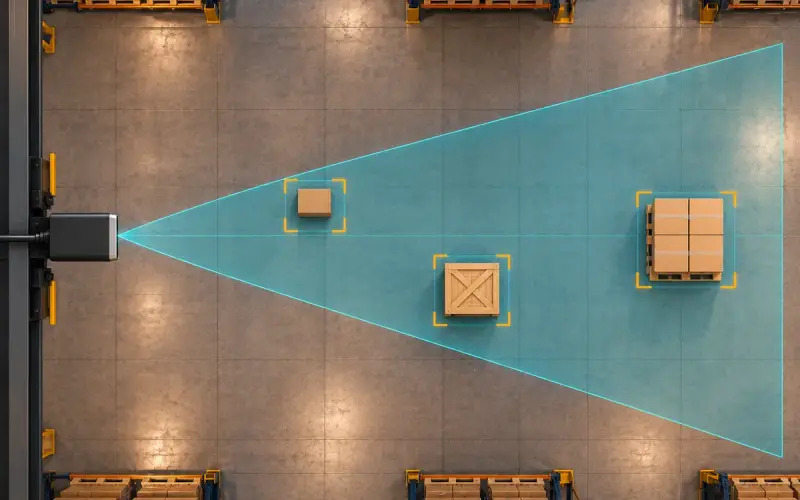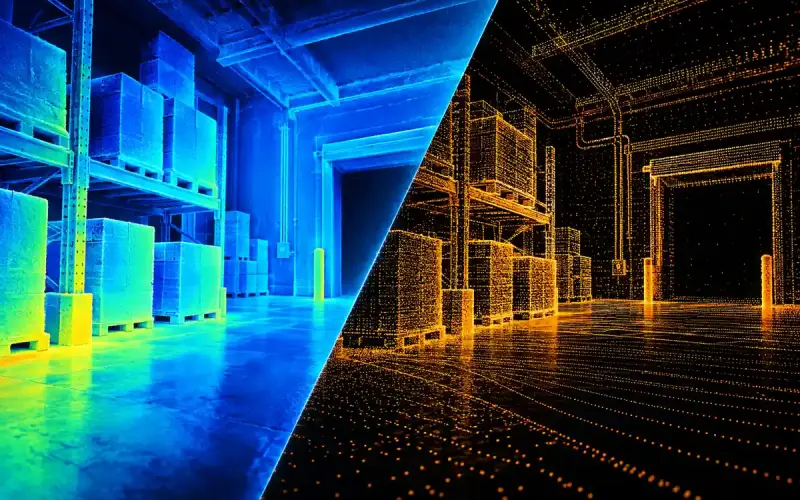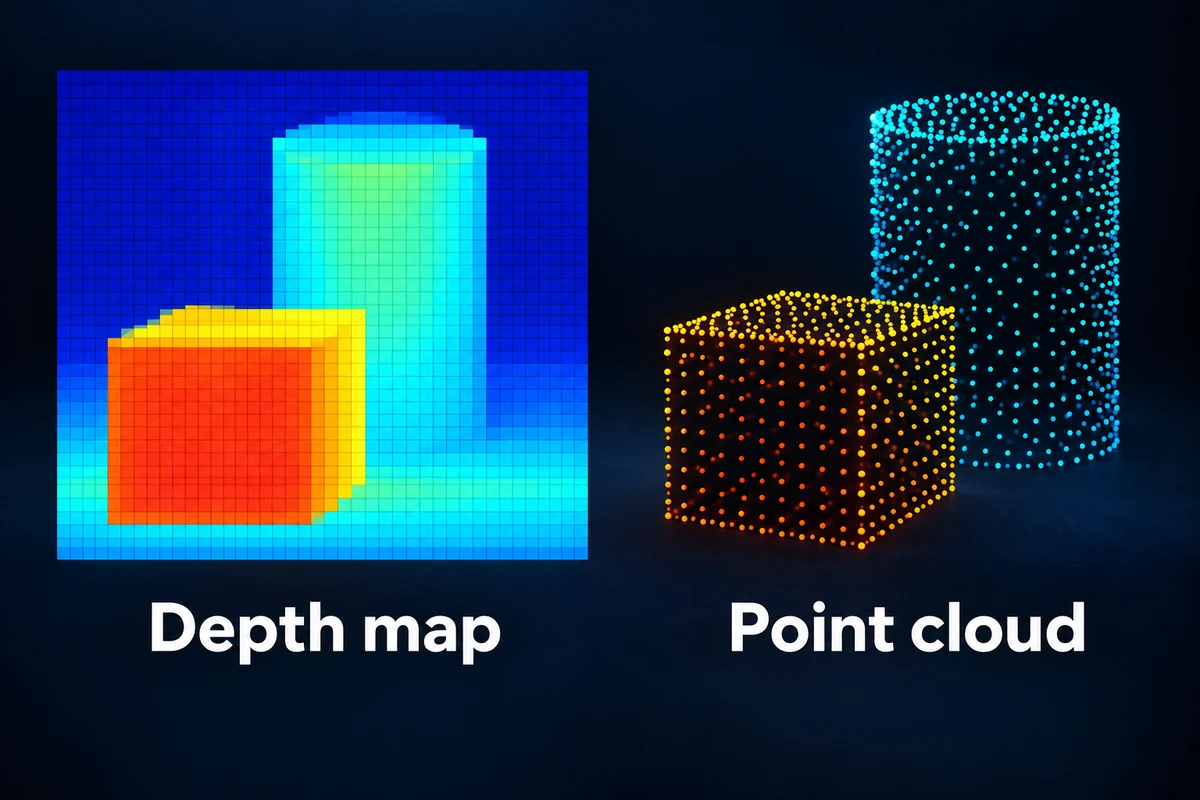
A depth map arranges distance information on an image grid. A point cloud represents geometry as points with spatial coordinates, commonly X, Y and Z. Both can describe the surfaces seen by a depth camera, and each suits different processing tasks.
For an integration project, identify what the camera measures, how its output encodes that measurement and which processing steps run on the host. This makes the depth map vs point cloud choice part of the application's data path.
What is in a depth map?
A depth image contains a value associated with each valid image location. The device documentation defines that value's units, scale, invalid-data convention and geometric meaning. Some outputs describe distance along the viewing ray; others provide depth along the camera's Z axis.
Separate those measured values from a display image. A viewer can map near and far values to grayscale or false colors to make the scene easier to inspect. Changing a display's color scale does not change the original measured distances. A screenshot of that display is therefore different from the original depth data file.
What is in a point cloud?
A point cloud contains spatial samples expressed in a defined coordinate system. A camera can supply a cloud directly, or host software can calculate it from supported depth output and calibration parameters. Identify which arrangement the chosen model and software provide.
The cloud describes observed surfaces. A single viewpoint leaves surfaces behind objects unseen. Reconstructing a more complete object or room requires additional viewpoints and a method for relating them to the same coordinate system.
| Data form | Structure | Typical use in processing |
|---|---|---|
| Depth map | Distance-related values on an image grid | Region masks, pixel-level filtering and image-based depth processing |
| Point cloud | Spatial coordinate samples | Geometric fitting, spatial distances and combining views |
| Grayscale or false-color preview | Measured values mapped to display intensity or color | Visual inspection of coverage and artifacts |
| Quality or confidence output, where provided | Device-specific measurement quality information | Filtering uncertain samples according to the documented meaning |
How depth becomes spatial coordinates
The conversion needs the camera's geometric model. Intrinsic parameters relate an image location to a viewing direction. Lens distortion and the definition of the depth value also affect the calculation. Use the calibration and conversion procedure for the exact camera and software version.
Radial distance and Z depth are related but differ away from the optical axis. A radial distance is measured along the viewing ray; Z depth is its component along the camera's forward axis. Treating one as the other can distort dimensions or surface geometry toward the edge of the view.
When combining depth with RGB, the two cameras' relative pose and their image geometry are also relevant. See RGB-D calibration and validation for alignment and installation checks.
Worked conversion from a depth image to a point cloud
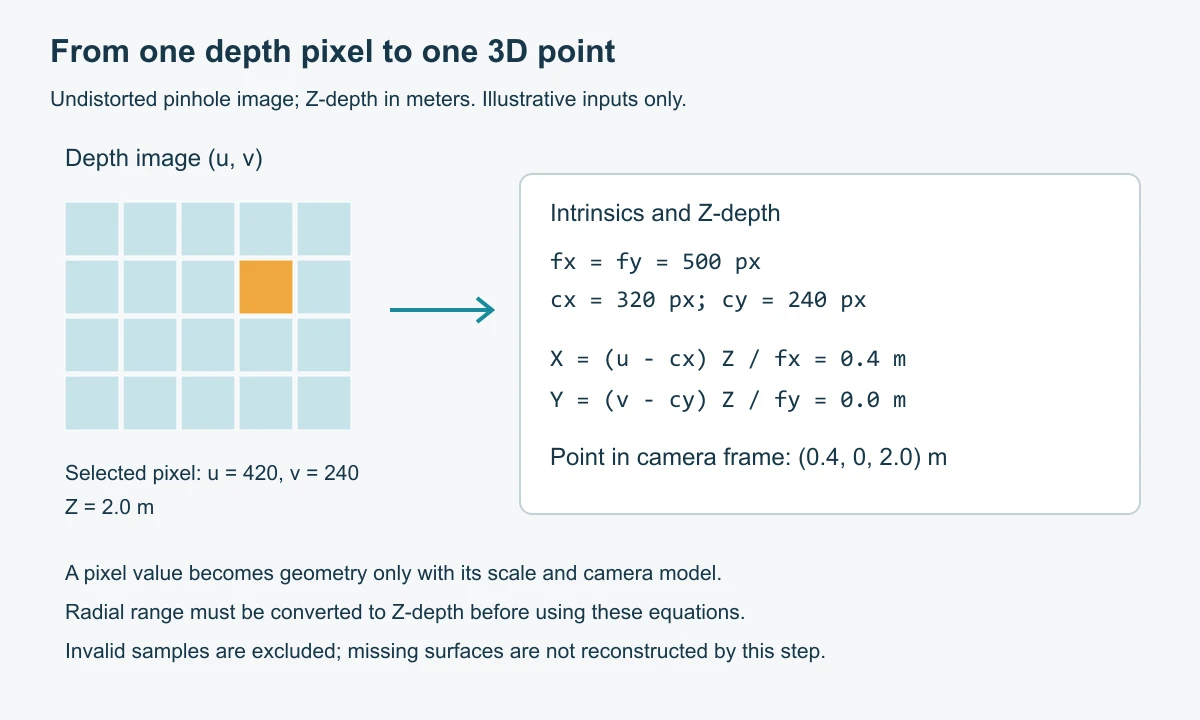
For an undistorted pinhole image whose numerical depth has been converted to camera-axis Z in meters, use X = (u - cx) × Z / fx and Y = (v - cy) × Z / fy. Here u, v are image coordinates, fx, fy are focal lengths in pixels and cx, cy are principal-point coordinates. Open3D’s depth-image conversion API documents this model and its depth-scale parameter.
As an illustrative calculation, let u = 420, v = 240, fx = fy = 500 pixels, cx = 320, cy = 240 and Z = 2 m. The resulting camera-frame point is (X, Y, Z) = (0.4, 0, 2) m. These assumed intrinsics are not calibration values for a DOMI camera. Convert radial range to Z-depth first when the device reports distance along a viewing ray.
Point-cloud organization and memory
A point cloud can preserve image rows and columns or be stored as a list of points. PCL documents both structures in its point-cloud data-structure guide. If invalid points are removed, preserve pixel-to-point indices when later processing still needs the original image layout. Changing the coordinate frame changes the coordinates, but does not reveal surfaces the camera could not observe.
For a hypothetical 640×480 frame, 16-bit depth uses 614,400 bytes. Storing one XYZ point as three 32-bit floats at every pixel uses 3,686,400 bytes before color, padding or metadata. That is six times the depth-only storage in this example. Select a region on the depth map before conversion when the algorithm needs only that region; inspect the actual data structure and validity handling used by your software.
Units, invalid values and timestamps
Keep the unit and scale attached to the numerical data through capture, conversion and storage. Check whether a saved file preserves those details or requires accompanying metadata. Record the coordinate origin and axis directions before passing points into a robot or another software component.
An invalid depth value is a missing or rejected measurement. Handle it according to the device's documented convention before calculating averages, dimensions or point clouds. Do not automatically interpret it as a real surface at zero distance.
Timing belongs in the same data contract. Determine which acquisition event a timestamp refers to and how frames from different streams or cameras are related. Receiving depth and RGB at the host does not by itself establish alignment in time.
Choosing the output for your application
If your algorithm begins with image regions or pixel masks, working with a depth map can preserve that convenient grid. If it fits a plane, measures spatial relationships or joins observations from several positions, a point cloud can provide a suitable geometric representation.
Some workflows use both. For example, an application can select a region on the depth image, then convert its valid samples into points for a geometric calculation. The useful choice depends on the algorithm and available host resources.
DOMI's RGB-D cameras and ToF modules have model-specific data and interface requirements. For an integration discussion, send the output format your software expects, its coordinate convention and host platform through our contact page.
FAQs
What is the difference between a depth map and a point cloud?
A depth map stores distance-related values on an image grid. A point cloud expresses samples as spatial coordinates. Converting between them requires the camera model and a correct interpretation of the depth values.
Is a depth map the same as a grayscale image?
A depth map carries numerical measurement information. Grayscale is one way to encode or display values. Use the device's scale and data-format definition to interpret the original depth output; a displayed shade alone is not a universal distance unit.
Does every ToF camera supply a point cloud and confidence image?
Outputs depend on the camera and its software. Establish whether the selected device transmits calculated depth, raw samples, point coordinates or quality fields, and which conversions the host is expected to perform.