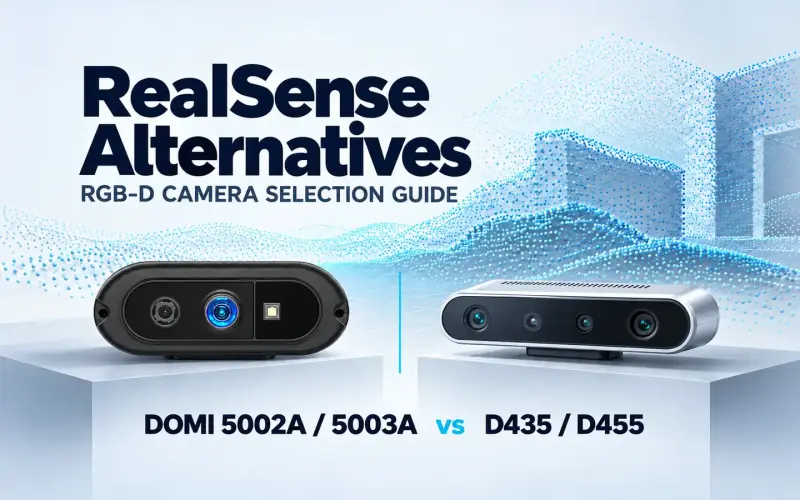

For a compact USB RGB-D design, DOMI DM-RGBD5003A is a useful starting point: it combines ToF depth and color imaging with point-cloud output and ROS 2 development options. RealSense D455, Orbbec Femto Bolt, Luxonis OAK-D S2 and Stereolabs ZED 2i offer other combinations of sensing, processing and software support. DM-RGBD5002A provides another compact DOMI route, with its ROS 2 configuration to confirm before selection.
The best depth camera for a ROS 2 robot depends on which of those capabilities the application needs. This DOMI comparison uses manufacturers’ product specifications and official software documentation checked on November 16, 2026. The recommendations below connect those published capabilities to project requirements.
Quick shortlist for ROS 2 robotics projects
| Camera | When to evaluate it | ROS 2 software starting point |
|---|---|---|
| DOMI DM-RGBD5003A | Compact USB ToF RGB-D capture for host-based perception and geometric processing | Product page lists ROS 1 / ROS 2, C/C++ SDK and Python options; confirm the package for your host |
| DOMI DM-RGBD5002A (confirm ROS 2 configuration) | Compact USB RGB-D evaluation across several host platforms | Windows, Linux, Android and ROS are listed; request the model-specific ROS 2 software path |
| RealSense D455 | Stereo depth with an IMU and global-shutter RGB | Official RealSense ROS wrapper, including D455 examples |
| Orbbec Femto Bolt | Wide-field ToF capture, multiple depth modes and trigger support | Official OrbbecSDK ROS 2 wrapper, with model and branch guidance |
| Luxonis OAK-D S2 | Stereo depth and neural-network inference on the camera | DepthAI ROS driver; select the driver generation for the distribution and device |
| Stereolabs ZED 2i | Stereo and spatial perception on a suitable CUDA host | Official ZED ROS 2 wrapper, with SDK and CUDA prerequisites |
Match the camera to the robot and host
Define the scene and required outputs
List the data your application consumes: RGB images, depth images, point clouds or inertial measurements. Then define the nearest and farthest observations and the smallest feature the software must use. A camera that covers a large scene may allocate relatively few depth samples to a small target at distance.
Check coverage from the proposed mounting position. RGB and depth can have different fields of view, so a task using both needs enough shared coverage around its targets. Keep each manufacturer’s range description with its value: working range, ideal range and a mode-specific minimum distance describe different conditions. Our ToF camera selection guide explains coverage, sampling and scene tests in detail.
Plan the interface and processing
Decide which processing belongs on the camera and which belongs on the host. OAK-D S2 includes onboard inference; the ZED software route has CUDA requirements. For a host-based RGB-D design, match the camera outputs and software package to the computer planned for the robot.
Review the interface using the actual concurrent RGB and depth modes. On a moving robot, also measure the interval from capture to application use, including transfer, buffering and processing. Frame rate alone does not give that interval. See our AMR depth-camera installation and validation guide for installed checks.
DOMI compact ToF RGB-D options
DOMI’s high-precision RGB-D cameras combine color imaging and ToF distance information in a 79 × 35 × 15.7 mm body. Both DM-RGBD5002A and DM-RGBD5003A use USB 2.0. Their compact housing makes them worth evaluating when the robot has limited mounting space and the host needs visual appearance alongside distance data.
| Selection factor | DM-RGBD5003A | DM-RGBD5002A |
|---|---|---|
| Depth capture | Up to 640 × 480 at 25 fps | Up to 640 × 480 at 25 fps |
| RGB capture | 1280 × 960 at 30 fps | 1280 × 960 at 30 fps |
| Published distance range | 0.2–5 m, indoor / semi-outdoor | 0.2–5 m |
| Depth field of view, H × V | 64° × 51° | 64° × 51° |
| RGB field of view, H × V | 76° × 61° | 76° × 61° |
| Host connection | USB 2.0 | USB 2.0 |
| Camera dimensions | 79 × 35 × 15.7 mm | 79 × 35 × 15.7 mm |
Specifications come from the DM-RGBD5003A and DM-RGBD5002A product pages. Confirm the concurrent stream modes and timing behavior for the intended host configuration.
DM-RGBD5003A for compact RGB-D and ROS 2 development
DM-RGBD5003A is the main DOMI candidate here for a project that specifically requires ROS 2. Its published development options include a C/C++ SDK, a Python wrapper and ROS 1 / ROS 2 packages, with OpenCV and PCL integration paths. Teams can begin the configuration discussion around their existing development tools and processing workflow.
The camera provides 16-bit raw depth / millimeter distance maps, X/Y/Z point clouds and depth–RGB registration. A perception application can use color to describe an object and spatial data to process its geometry. Depth-map and point-cloud outputs give the software team different starting points for that processing.
For a robot needing a compact RGB-D input, evaluate the required scene within the camera’s published 0.2–5 m indoor / semi-outdoor range. Match the 64° × 51° depth view to the mounting position, then discuss the ROS 2 distribution, operating system, processor and outputs with DOMI. RGB-depth registration relates color to geometry; plan stream timing separately for moving scenes.
DM-RGBD5002A for USB RGB-D evaluation
DM-RGBD5002A brings RGB imaging and VGA ToF depth into the same compact USB camera format. Its published platform options include Windows, Linux, Android and ROS. That makes it a useful hardware route to evaluate when a project needs color and distance capture across different host environments.
Use its 0.2–5 m range and documented RGB/depth views to plan the observation region. The DM-RGBD5002A product page and datasheet entry give the team a starting point for checking the camera’s capture specifications and installation envelope.
For ROS 2, ask DOMI for the model-specific package and supported host configuration before committing to this model. Its public platform list currently says ROS; DM-RGBD5003A explicitly lists ROS 1 / ROS 2 options. Both models can also be compared in our RGB-D camera category.
Other representative camera routes
RealSense D455 for an IMU-equipped stereo route
RealSense D455 is worth considering when the application needs stereo depth, an integrated IMU and global-shutter RGB capture. Its official page lists an ideal range of 0.6–6 m and a field of view of 87° × 58°. Compare those values with the scene and mounting requirements using the D455 product specifications.
The official RealSense ROS wrapper includes a D455 example and documents image, CameraInfo and transform interfaces. Check the SDK, wrapper and operating-system combination for the intended deployment. If the project already uses RealSense, our RealSense-to-DOMI migration guide covers the separate work involved in changing camera families.
Orbbec Femto Bolt for wide-field ToF capture
Femto Bolt offers a wide-field ToF mode of 1024 × 1024 at 15 fps with a 120° × 120° depth field of view. Its narrow-field mode provides 640 × 576 at 30 fps with a 75° × 65° view. These modes give a project different coverage and update-rate choices.
The camera also provides RGB imaging up to 3840 × 2160 at 30 fps, an IMU and trigger support, with USB 3.2 Gen 1 connectivity. Its 115 × 40 × 65 mm body is larger than the 79 × 35 × 15.7 mm DOMI cameras. Compare that mounting space with the benefit of Femto Bolt’s coverage and modes, and check its published indoor operating conditions.
The OrbbecSDK ROS 2 repository identifies the v2-main route for Femto Bolt as recommended for new designs. Use its model and branch guidance when checking firmware and host requirements.
Luxonis OAK-D S2 for on-camera AI
OAK-D S2 combines stereo depth, an RGB camera, an IMU and RVC2 processing. Consider it when neural-network inference belongs in the camera pipeline. Models need conversion for the platform.
The OAK-D S2 hardware documentation lists USB 2/3 connectivity and explains how minimum depth distance changes with resolution and extended-disparity settings. This model has no infrared illumination or dot projector, so include the working light conditions in its evaluation.
DepthAI has separate v2 and v3 ROS documentation. The v2 page describes Humble and Jazzy; the v3 page describes Humble, Jazzy and Kilted, with distribution-specific package names. Check the device configuration and software generation together.
Stereolabs ZED 2i for a CUDA-based stereo workflow
ZED 2i is a stereo candidate for a suitable NVIDIA/CUDA host and the ZED software stack. It combines USB connectivity with inertial and other sensor inputs. Choose the lens configuration around the required coverage and working distances using the ZED 2i product information.
The official ZED ROS 2 wrapper includes the zed2i camera model and provides images, depth, point clouds and other SDK outputs. Plan the ZED SDK, CUDA, Ubuntu and ROS 2 distribution together, and include the required processing capacity in the host specification.
Check ROS 2 support before committing to hardware
Connect each candidate to a specific camera and software configuration. Check these items in its documentation or with the supplier:
- Camera model, firmware, SDK and driver versions.
- ROS 2 distribution, operating system, processor architecture and dependencies.
- Available RGB, depth and point-cloud outputs in the required concurrent modes.
- Depth units, image encodings, calibration data and invalid-depth handling.
- CameraInfo, coordinate frames and TF information needed by the application.
- Timestamps, stream correspondence and timing on the target host.
Ask for documentation that matches the proposed build. During evaluation, record those versions and settings with the test results. A run on the intended hardware can then show whether the selected configuration supplies the data and timing the application needs.
Build a shortlist for your application
Start with DM-RGBD5003A when compact USB ToF RGB-D capture and explicit ROS 2 development options fit the project. Its depth-map, point-cloud and RGB-depth registration outputs support several host-processing approaches. DM-RGBD5002A gives teams another compact USB RGB-D option to discuss alongside its available platform and package configuration.
Keep the other candidates where their capabilities answer a requirement: D455 for an IMU-equipped stereo route with global-shutter RGB, Femto Bolt for wide-field ToF modes, OAK-D S2 for onboard inference, and ZED 2i for a CUDA-based stereo workflow.
Take the leading candidates through the same representative targets, distances, light conditions and motion cases. Use each selected operating mode and record host load alongside the observations. Compare usable target data and application timing before committing to the installed design.
To evaluate a DOMI camera, explore DM-RGBD5003A development options. Share your ROS 2 distribution, host OS and processor, working distances, target materials, lighting and required outputs to discuss your ROS 2 host configuration.