

Separate people by distance
Metric Z distance adds a spatial constraint when people stand at different depths.
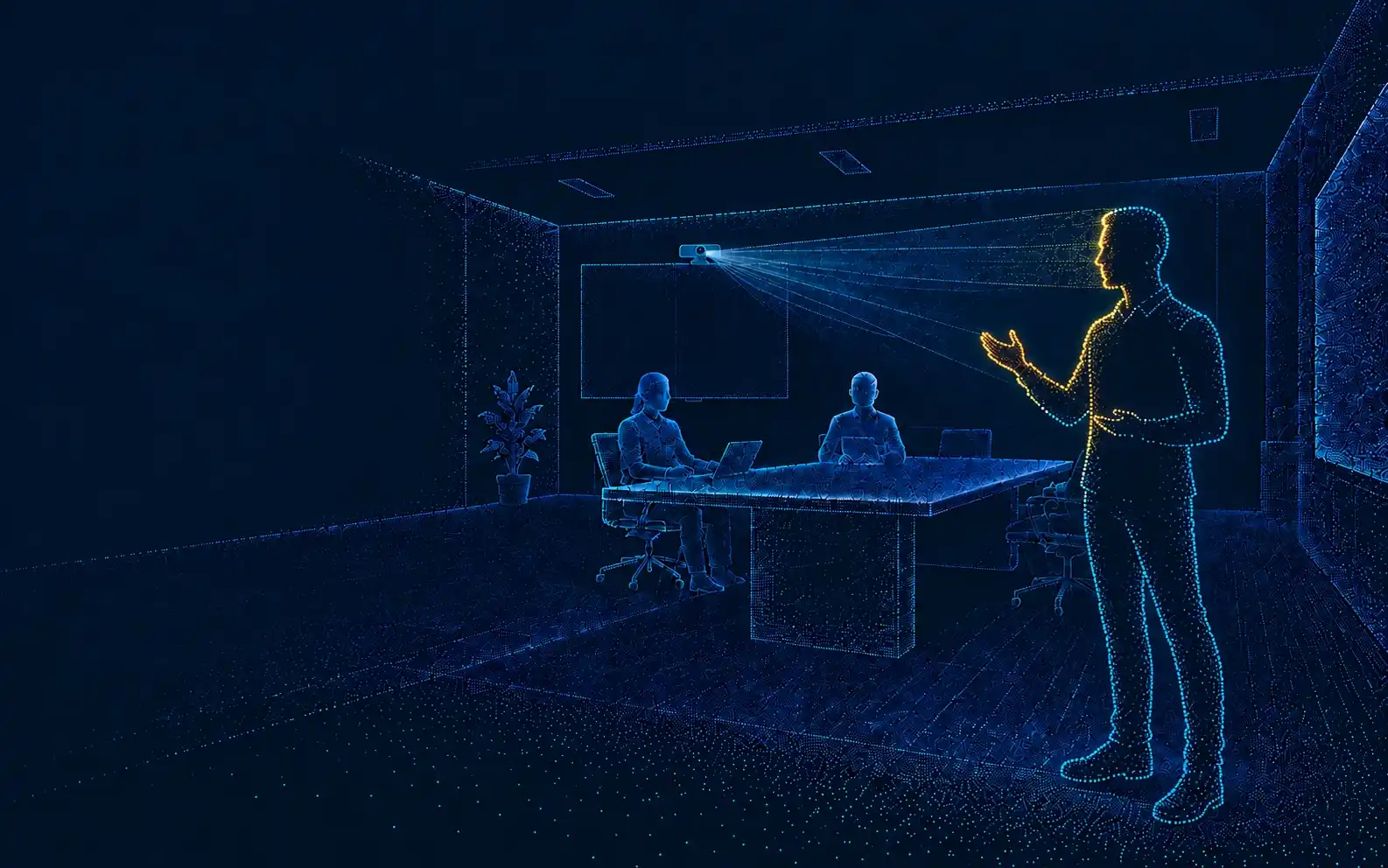
Add metric depth to RGB and AI pipelines for stable subject selection, digital crop or PTZ control.
RGB can detect a face. Depth helps the system decide which person belongs in the frame when distance, occlusion and background context change.
ToF adds geometry. It does not replace RGB detail or the customer tracking model.
Spatial decision
RGB + ZCandidate regions
Distance and rejection gate
Target retained in the loop
RGB input
Semantic detection can treat a displayed person as a candidate target when the scene has no spatial constraint.
Candidate on display
ToF depth gate
A calibrated distance check can reject the flat display plane and keep the foreground subject in the tracking loop.
Depth gate / target retained
Metric Z distance adds a spatial constraint when people stand at different depths.
Depth can help reject a face on a display or a background subject outside the expected range.
A body centre and scene geometry give the host more than a flat bounding box.
The controller can use depth as an input for crop, deadband and PTZ decisions.
A module produces sensing data. Your system still owns detection, target management, control policy and the final camera behavior.
The boundary is explicit: DOMI supplies sensing data, the host owns target logic, and the final camera product owns execution.
DOMI hardware layer
Image stream for face or body features
VCSEL, depth, IR and point-cloud data
Customer host processing
Detection and semantic candidate features
Z-distance, occlusion and target rejection
Track state, smoothing, deadband and control policy
Final execution layer
ePTZ framing window and output composition
Pan, tilt, zoom and servo response
RGB-D or depth data, IR, point cloud, drivers, SDK and module-level integration support.
Face or body detection, subject choice, active-speaker logic, tracking state, framing rules and PTZ control.
RGB image quality, gimbal, thermal design, optical window, EMC, eye safety and final product claims.
Before selecting a module, confirm whether your project needs a reference algorithm, coordinate output, timestamp support or PTZ demo.
ToF is not automatically the best answer. Compare the full camera architecture against distance, FOV, host path and control needs.
| Route | Best fit | Value | Main limit |
|---|---|---|---|
| RGB-only AI | Single presenter, controlled light and cost-sensitive designs. | Low hardware cost, strong facial detail and mature models. | No absolute distance. Background and low-light handling stay mostly in software. |
| RGB plus ToF | Multi-person rooms, complex backgrounds and PTZ systems. | Semantic RGB features plus metric depth in one perception loop. | Power, thermal design, registration and synchronization need validation. |
| Separate ToF plus main RGB | OEMs that already have a high-quality 4K RGB camera. | Video and depth sensors can be optimized independently. | Requires extrinsic calibration, timestamp alignment and coordinate conversion. |
| Panoramic camera plus PTZ | Classrooms, stages and spaces that need global reacquisition. | A wide view remains available while the PTZ camera zooms in. | Two camera views and the control mapping must be calibrated together. |
Use this first-pass calculation to check whether a horizontal FOV can cover the room. Edge depth quality still needs measurement in the intended setup.
Coverage width = 2 × distance × tan(horizontal FOV ÷ 2)
| Product | H FOV | 1 m | 2 m | 3 m |
|---|---|---|---|---|
| DM-RGBD5002A | 64° | 1.25 m | 2.50 m | 3.75 m |
| DM5005A | 70° | 1.40 m | 2.80 m | 4.20 m |
| DMOM2808D | 71.8° | 1.45 m | 2.90 m | 4.34 m |
Ideal geometry only. It does not mean the edge region has the same depth quality as the centre.
DM-RGBD5002A
64° horizontal FOV. Ideal geometry reaches 3.75 m width at 3 m distance.
DMOM2808D
71.8° horizontal FOV. Wider coverage supports compact room layouts.
Valid range limit
Use the published 4.5 m or 5 m range as a starting boundary, then validate edge quality.
Do not infer system tracking performance from a sensor headline. Record the setup, measure the loop and keep the failure boundary visible.
Every result should name the module, firmware, algorithm version, distance, light, sample size and host platform.
Until complete data exists, publish the test method instead of a tracking accuracy claim. ToF can support filtering and reacquisition, but it cannot see through an occlusion or guarantee a target choice.
Choose the module around the system boundary you need to validate first: combined RGB-D, compact MIPI depth or USB depth-only.
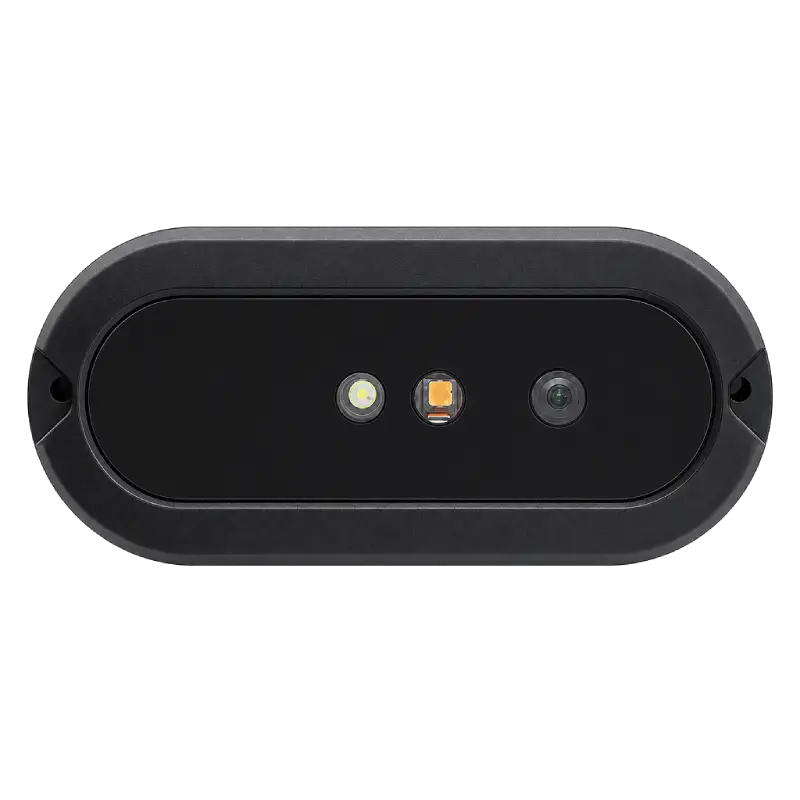
RGB-D prototype and algorithm validation
Fast evaluation when RGB and depth should arrive as one calibrated stream.
Validate first
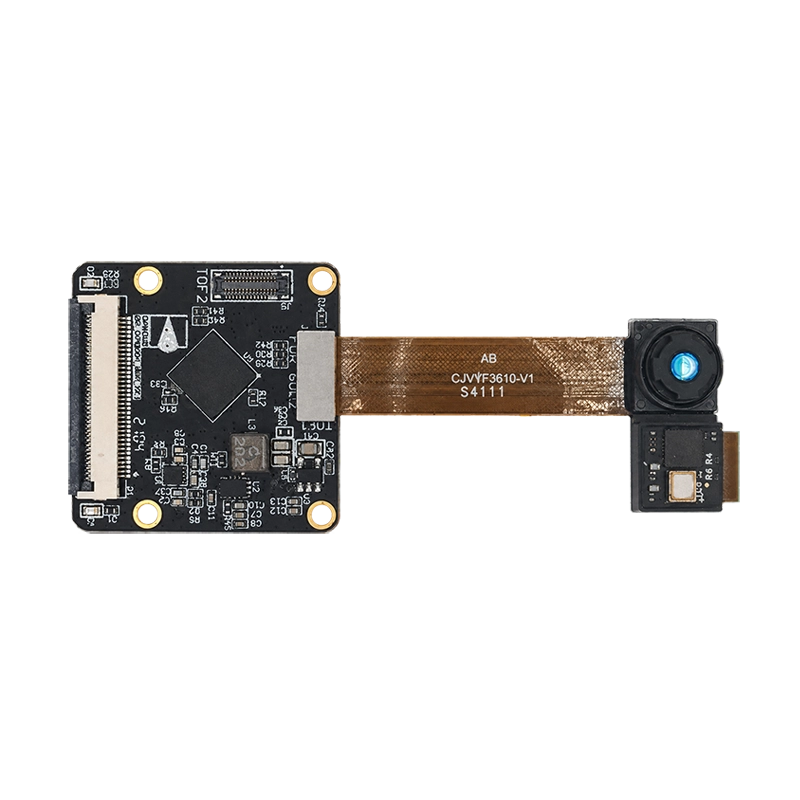
Embedded MIPI production path
Space-constrained designs that need a compact depth head and direct embedded integration.
Validate first
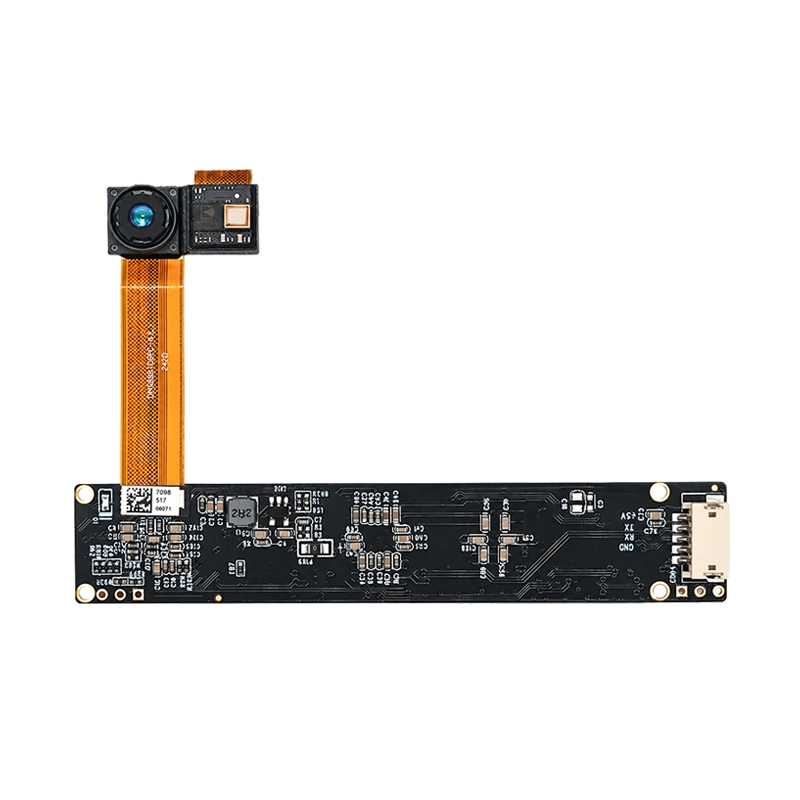
USB and UVC depth companion sensor
Rapid depth-only prototyping when the product already has its own RGB camera.
Validate first
These three paths cover the main evaluation decisions. Other DOMI modules may fit a different range, output or form factor and should be confirmed against the complete project brief.
The fastest prototype is not always the lowest-risk product path. Make data, timing, optics, host constraints and compliance explicit before design freeze.
Confirm room geometry, people count, tracking mode, host and interface.
Map range, FOV, optical form, bandwidth and RGB requirements to candidate hardware.
Confirm samples, drivers, output modes, timestamps and any reference examples.
Test people, occlusion, background displays, light and the complete control loop.
Lock the window, mounting, thermal path, calibration and host wiring.
Verify firmware, reliability, EMC, eye safety and system-level acceptance criteria.
Align calibration, MOQ, lead time, PCN, EOL and change-control expectations.
Optics and mechanics
The cover glass and isolation structure are part of the depth design. Separate the transmitter and receiver openings, then re-check ranging after the final window, adhesive and enclosure are fixed.
Direct answers to the depth, algorithm, environment and interface questions that shape an evaluation brief.
Send Your Tracking RequirementsTechnical ownership: DOMI FAE team. Content prepared September 2026. Confirm controlled specifications and deliverables for the selected project.
No. RGB normally provides facial and body features for AI models. ToF adds metric depth so the system can separate people by distance, reject unsuitable background regions and estimate a subject position in 3D.
Standard hardware primarily outputs RGB, depth, IR or point-cloud data, depending on the model. Face detection, subject tracking and PTZ commands normally run on the host. Confirm any reference algorithm or coordinate API for the selected module and firmware.
Depth can help identify that a displayed face sits on a flat background plane instead of at the expected subject distance. Use it as an additional constraint, not as the only anti-false-target mechanism.
Depth can provide the 3D position of candidate subjects, but selected-presenter and active-speaker modes require target-management logic. Active-speaker tracking may also need microphone-array or audio-direction data.
It can be sufficient for normal indoor movement, but frame rate alone does not determine smoothness. Test end-to-end latency, detector interval, filtering, PTZ response, deadband, acceleration and zoom settling as one control loop.
The system needs RGB and depth intrinsics, distortion parameters, camera-to-camera extrinsics and timestamp alignment. Verify calibration after the final mount, optical window and lens configuration are fixed.
Strong ambient light, low-reflectivity clothing, reflective or transparent surfaces, multipath, optical-window losses, temperature and interference from other active depth cameras can affect valid range and depth quality.
Use USB RGB-D for the fastest combined evaluation. Use USB depth-only when the product already has a separate RGB camera. Use MIPI when size, embedded integration and production architecture matter more than plug-and-play development.
Share your room geometry, tracking mode and host platform. DOMI can help evaluate working distance, field of view, hardware path and integration risks.
Work email, company, application and a short project brief are enough to start. Add dimensions, host details and failure cases if available.